


| 5. Yearly Totals Report | |
| 6. Yearly Comparison Report | |
| 7. Statement Comparison Report | |
| < Back to main report menu |
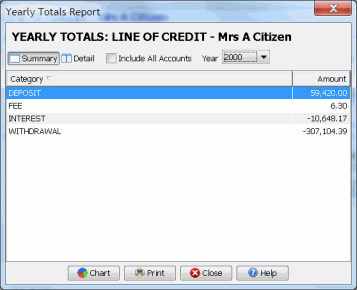
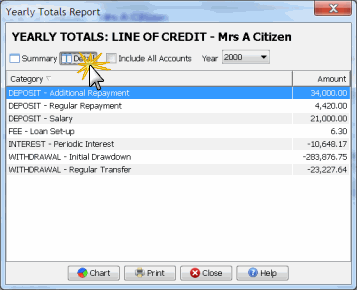
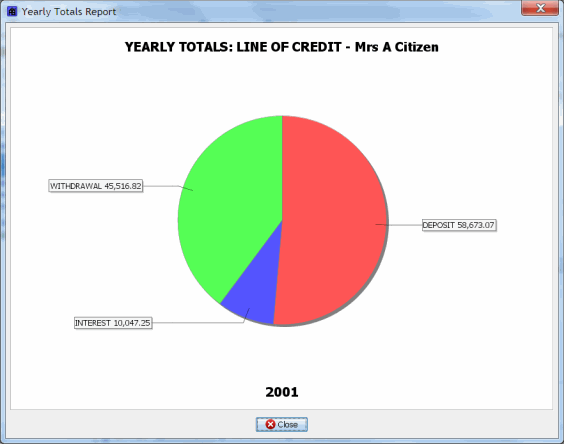
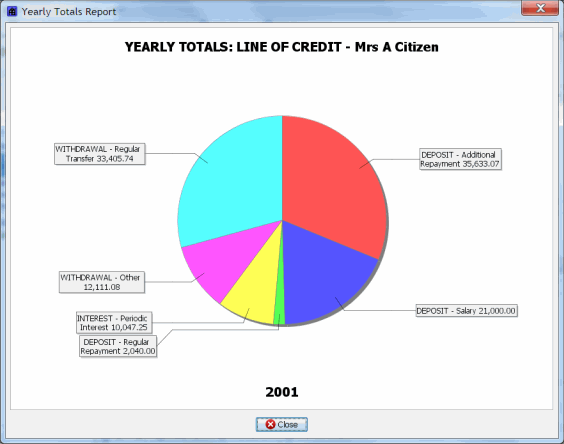
The yearly totals report provides transaction totals grouped by category (detail) or parent category (summary).
The report automatically includes a PRINCIPAL (Calculated) amount in the report, which is the difference between all amounts paid into the loan and all of the amounts charged to the loan (e.g. Fees and Interest). This amount shows you how much the loan balance has changed in the year.
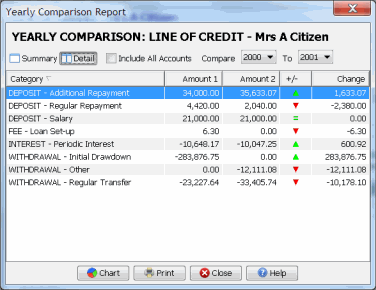
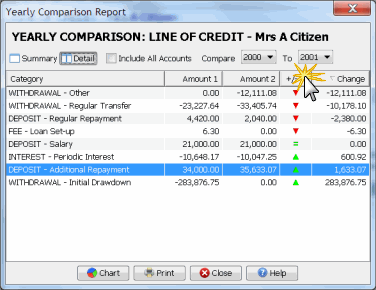
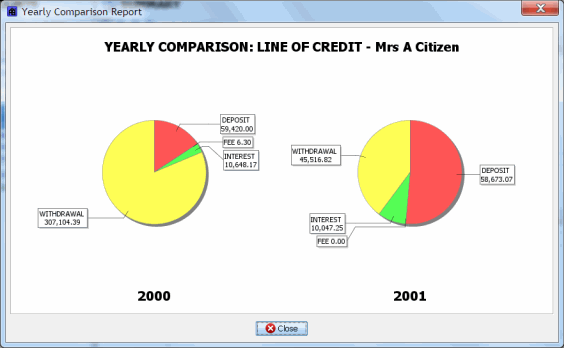
The yearly comparison report allows the comparison of transaction totals by category (detail) or parent category (summary) between two years.
The report automatically includes a PRINCIPAL (Calculated) amount in the report, which is the difference between all amounts paid into the loan and all of the amounts charged to the loan (e.g. Fees and Interest). This amount shows you how much the loan balance has changed each year.
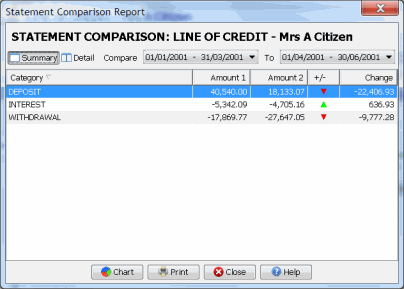
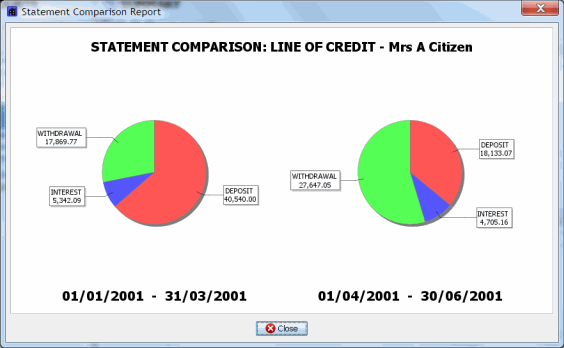
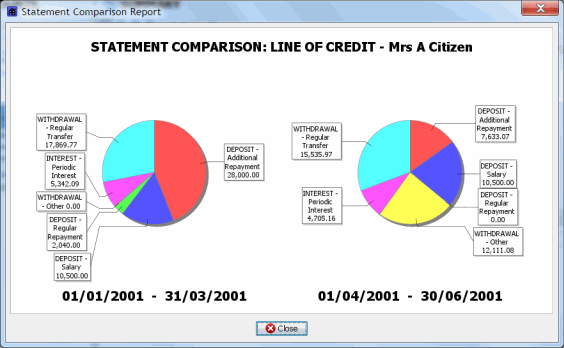
The statement comparison report allows the comparison of transaction totals by category (detail) or parent category (summary) between two statements.
The report automatically includes a PRINCIPAL (Calculated) amount in the report, which is the difference between all amounts paid into the loan and all of the amounts charged to the loan (e.g. Fees and Interest). This amount shows you how much the loan balance has changed each period.
 RSS Feed

 Top Of Page